Showing posts with label Web Development. Show all posts

Sunday, February 5, 2012

Firefox Beta with New Developer Tools and Add-on Sync


Mozilla has announced several new features for the new Firefox Beta which will eventually become Firefox 11. The first and, in my opinion, the most interesting one is a new approach to make distinguishing elements on a webpage easier using a 3D rendering of the page. They call it 'Tilt'. It is based off of WebGL technology and renders the website in a three-dementional view with each element layered one on top of the other making it easy to determine parent and child elements in a page. An interesting approach to the traditional indentation which only allowed the developer to see the differences in the code rather than on the page itself. This is a preview of the feature:
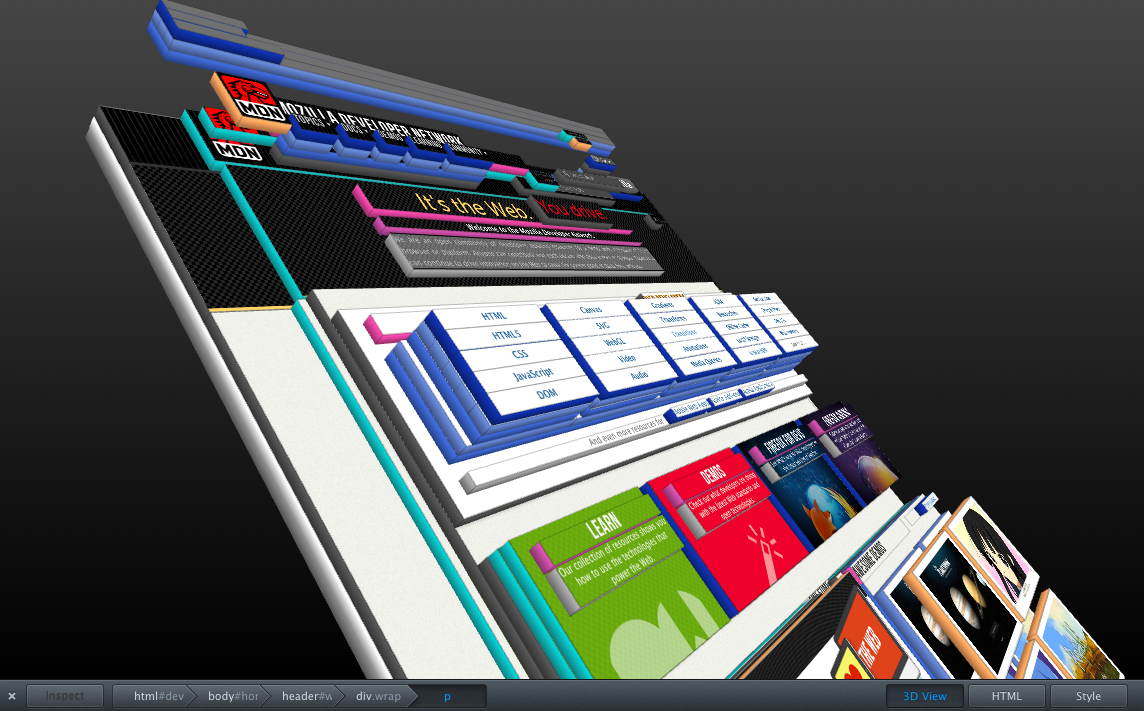

A couple of other technical features are SPDY support as well as a new styles editor which allows developers to edit a page's CSS files with live updating then save the changes to disk. One of the features I personally am most excited about is a simple thing which is one of my favourite things about Chrome and which is lacking in all other browsers: add-on sync. Not only will we not be able to sync bookmarks and history with Mozilla's sync service, but now add-ons as well. I am very much looking forward to that feature as it will make managing multiple installations of Firefox across different computers much easier to handle.

See Mozilla's blog post for more details about some of the upcoming new features in Firefox 11.

Thursday, February 2, 2012

Making DIVs behave like a table

A couple of days ago whilst working I was trying to figure out how to make a series of DIV tags work like a table. After doing a bit of research online, I stumbled upon the solution.

Essentially, you need three layers of DIV tags just as you would need at least three layers of TABLE/TR/TD tags. Each DIV tag represents the TABLE, TR, and TD tags, respectively. So, for example:

<div class="table">
    <div class="row">
        <div class="cell"></div>
        <div class="cell"></div>
        <div class="cell"></div>
    </div>
    <div class="row">
        <div class="cell"></div>
        <div class="cell"></div>
        <div class="cell"></div>
    </div>
</div>

plus the CSS classes:

.table {
    display: table;
}

.row {
    display: table-row;
}

.cell {
    display: table-cell;
}

would create the equivalent of:

<table>
    <tr>
        <td></td>
        <td></td>
        <td></td>
    </tr>
    <tr>
        <td></td>
        <td></td>
        <td></td>
    </tr>
</table>

One thing to be aware of with this method, however, is that it is not compatible with older browsers which don't support CSS3. Internet Explorer 7 and 8 will, in that case, probably be the primary concern. Older versions of other browsers won't be as troublesome since users tend to update them more often.

You are probably asking why on earth you would do such a thing with DIVs rather than just use a normal table. The answer to that is mostly a matter of preference, but DIV tags do give you more flexibility when it comes to dynamic webpages. If you want to, for example, dynamically rearrange the page or swap items within the grid, DIVs offer more capability than the traditional table tags and you won't risk breaking everything since you can simply remove the class from the DIV via jQuery or JavaScript.